- TeX 100%
| Filename | Latest commit message | Latest commit date |
|---|---|---|
|
|
||
| fonts | ||
| .gitignore | ||
| comcv.cls | ||
| example.tex | ||
| LICENSE | ||
| README.md | ||
| resume.png | ||
| resume.tex | ||


Compact and Minimal Resume Template
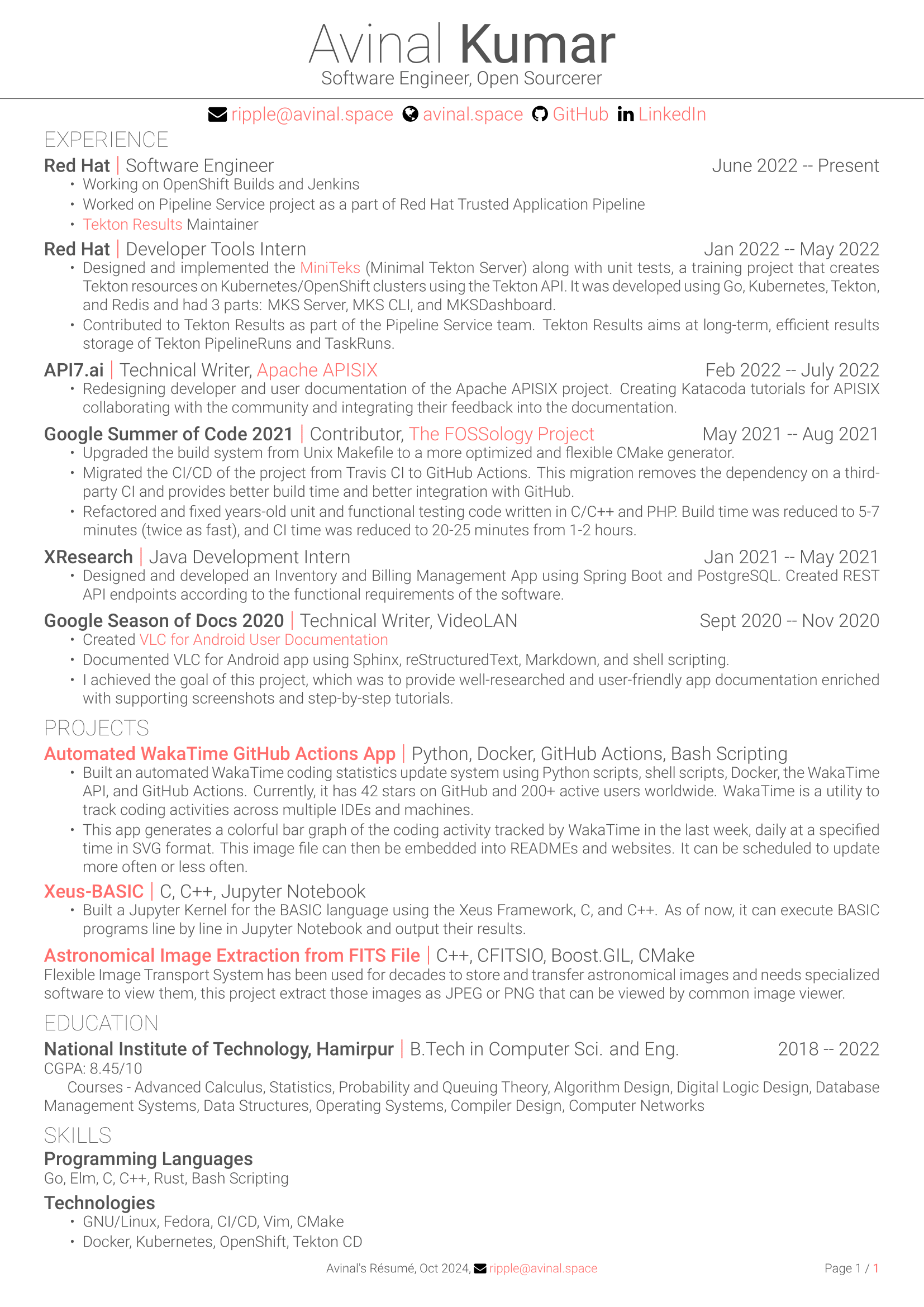
This CV (Resume) template is compact, minimal, easy to modify and beautiful. See My Resume below.
How to use this template?
If you are new to LaTeX, start with the example.tex file.
There are lots of custom commands and environments to make this resume template easy to use.
-
Name and Qualification (academic degree) (Required)
\fullname{FirstName}{LastName}{Degree} -
Resume Title - To be shown below the name (Optional)
\cvtitle{Your Resume Title} -
Email ID (Required)
\email{email@example.com} -
Website/Portfolio (Optional)
\website{https://www.example.com}{Website Text} -
GitHub (Optional)
\github{https://github.com/username}{GitHub Text} -
LinkedIn (Optional)
\github{https://www.linkedin.com/in/username}{LinkedIn Text} -
Phone (Optional)
\phonenumber{0123456789} -
Current Date (any format) (Required)
\currentdate{DD Month YYYY} -
Sections - Create sections
\section{Section Name} -
Combo Sections - Subsection with details
\combosection{Subsection Name}{Location/Extra Info}{Duration}{ Desciption } -
Tight List Environment - to create compact bulleted list
\begin{tightlist} \item itemA \item itemB \end{tightlist} -
Extend for a verbose resume - you can put all description at once and compile either full or compact version, default is compact. To compile full version add
extendedin\documentclass.\ifextended This is the full content. \else This is compact content. \fi -
You can also use fontawesome icons. For the list of available icons, check here.
\faicon{icon-name} % you can also use direct icon commands
Requirement(s)
You must compile this resume with XeLaTex or LuaLaTeX (pdfLaTeX is incompatible with fontawesome). While using Overleaf, choose Compiler from the menu.
This resume template uses following extra packages:
- fontawesome - For fontawesome icons
- xcolor - Custom coloring
- fontspec - Custom font selection
- fancyhdr - Custom header and footer design
- titlesec - Format sections, subsections, chapters
- hyperref - Link and PDF options
- geometry - Document dimensioning
In addition, the Roboto font family is required. (Fonts are bundled with the project)
License
Copyright 2024 Avinal Kumar This work may be distributed and/or modified under the conditions of the LaTeX Project Public License, either version 1.3 of this license any later version.
Acknowledgements
This resume template is inspired by Alessandro Rossini's Adaptive CV, Debarghya Das's Deedy CV, and Font Awesome icons.